

We searched Google for “counseling Frankfort IL.” The search gave Google a service and a location. It left the practice name out. Google’s AI Overview included Full Circle Counseling & Wellness among three local options. We chose Full Circle because they’re a Wave Genius client and we know their work firsthand. Seeing their name was the first check. The next was whether Google gave someone looking for a counsellor an accurate picture of the practice.
If you own a local business, that difference should change how you check your visibility. A customer who knows your name can ask AI about you directly. Someone who has never heard of you is more likely to start with a problem, a service, and a place. Those two searches give the assistant different jobs. One asks it to find possible businesses. The other asks it to explain what it knows about yours. Both can influence whether a customer thinks you’re worth contacting.
You can run both checks even if you have a basic website, no analytics account, and no budget for an AI monitoring tool. Start with a few realistic questions. Save the answers, check the sources, and compare the information with what your business actually offers. By the end of this guide, you’ll have a first set of results and a way to repeat the check as your business changes.
Contents
What it means for AI to recommend your business
A mention can be anything from a passing reference to a clear recommendation. An answer might list your company as a good match for the request, mention a specialist you employ, or compare you with another business. It might also link to a page on your website while recommending someone else. If you simply mark each of these appearances with a checkmark, you lose the information that would help you decide what to do.
Start by reading the sentence in which the business appears. Does the answer present you as a provider the reader could contact for the requested service? Are you there because the tool is discussing what it found about your business? Does the tool link to your website as evidence for a statement without including you among the options? Write down whether AI recommends your business and whether it links to your site as a source. Sometimes it does both, and sometimes it only does one.
The answer presents the business as an option for the customer’s stated need. — Recommended
The answer names the business in another context. — Mentioned
The answer links to a page on the business’s own domain as a source. — Own site cited
The answer relies on a directory, map listing, association page, or other outside source. — Third-party source, with the page address
The answer states a service, location, policy, or other fact that can affect a customer’s choice. — Claim to verify, with the original wording
The platform produces no AI answer for the query. — No AI answer, with the date and platform
Take a business with a specialised service. An electrician’s guide to EV charger installation could be cited in an answer about choosing a charger, while the company itself is absent from a shortlist of installers. That citation is worth recording. It shows that the guide supplied information in that answer. The shortlist answers the distinct commercial question the owner probably cares about. For a discovery audit, the useful observation is whether the company was offered as an installer for the location and job in the prompt.
The searches that reveal the most
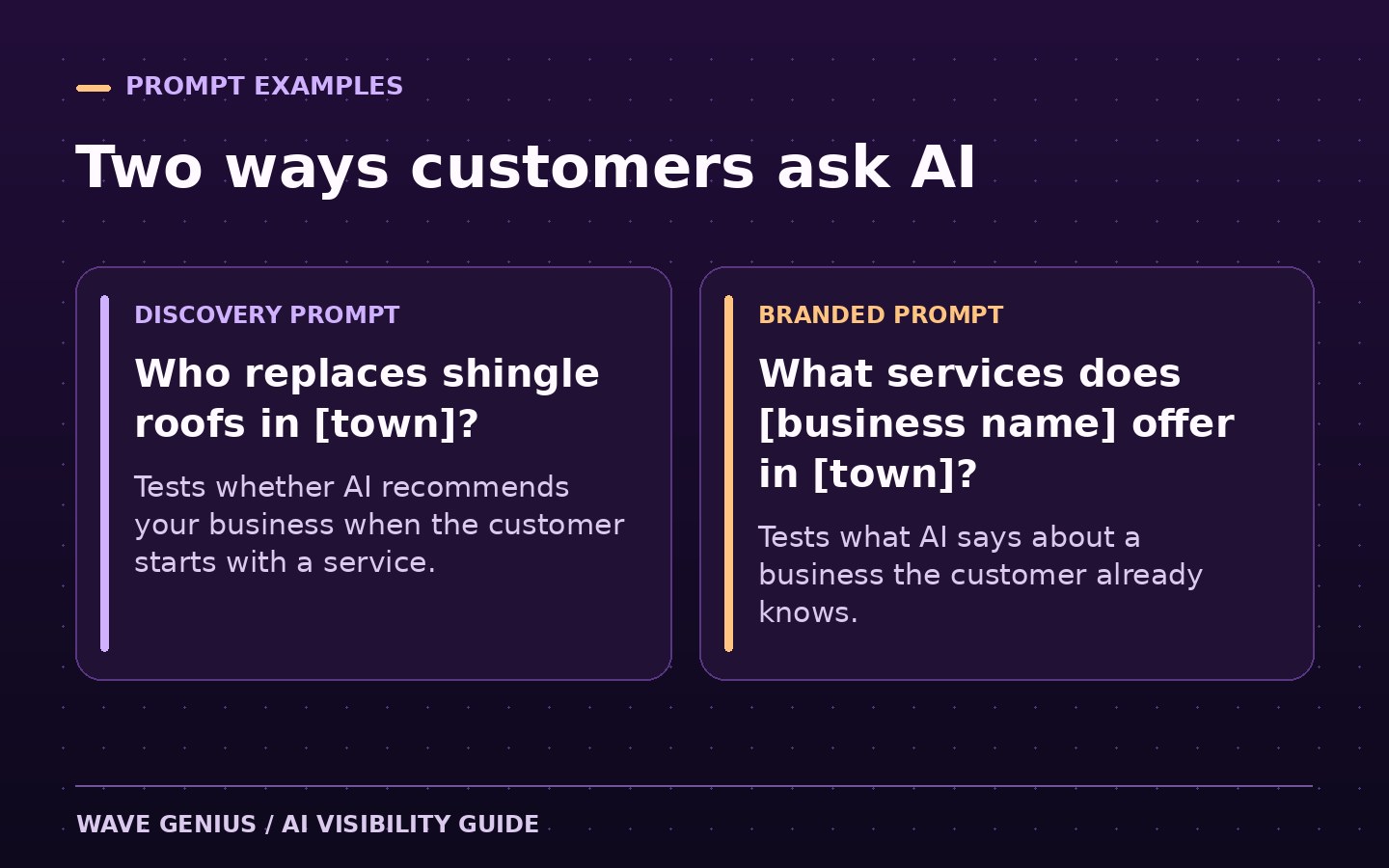
A discovery search describes the need without naming the business. It might ask who can repair a specific kind of roof near an address, where a family can find an accessible restaurant, or who provides small-business bookkeeping in a particular town. The assistant has to decide which businesses fit. These prompts are particularly useful for testing whether you enter the customer’s consideration set.
A branded search includes a business name. Its value is checking identity and accuracy. A customer might already know you from a referral, a map listing, or a sign on a truck. They may ask AI whether you serve their postcode, work with a particular type of customer, or require an appointment. A good audit checks whether the answer connects the right business to the right location and offers current details that the customer can act on.
You can also test a decision question that somebody might ask once they have a shortlist. They may want to know which contractors offer the material they need, which provider handles a niche service, or whether a business operates outside standard hours. Those constraints can change the answer significantly. Include one constraint that comes up in your real enquiries, and keep the location and service clear enough that you can explain why your business could reasonably qualify.
For the rest of the guide, keep three records in mind. The first is the answer you observed. The second is any website session attributed to an AI source. The third is the action a visitor took once they arrived, such as sending a quote request. The audit below checks the first record. Seeing a name or a link in an answer gives you visibility evidence. Website analytics can help you measure the clicks that turned into recorded visits and the actions those visitors took.
Build a list of questions your customers would ask
Begin with a service you want to be found for and a market you genuinely serve. You can audit a whole company eventually, but a focused starting point makes the answers easier to interpret. A small accounting firm might choose bookkeeping for independent retailers in one city. A freight broker might choose cross-border shipments between two regions. A roofer might pick residential asphalt-shingle replacement in one part of its service area. You want a result that tells you something about a real buying decision.
The best place to find customer language is often the questions your team already hears. Think about the wording people use in calls, messages, quote forms, and reviews. They may ask about timing or scope before they know the technical name of the service. A customer might say “Who can replace the roof on my duplex?” where the website says “multi-unit residential roofing.” Preserve that difference. The customer’s vocabulary helps you write a better prompt and can highlight gaps in how the business describes itself.
If you look at actual enquiries for inspiration, use a generic version of the question in the AI tool. The details needed for the audit are the service, the location, and the decision the customer is trying to make. You can test a question about a business problem without adding a customer name, street address, account record, or private message.
Write three discovery questions and one accuracy question
Give each prompt a purpose. Start broad enough to see the usual options. Then add one useful constraint. Finally, ask about a different buying consideration without changing everything at once. A small set of well-chosen questions will tell you where to investigate. A long list of near-identical variations can make the results look more comprehensive than they are.
Illustrative prompts for a roofing company
“Which companies replace residential shingle roofs in [town]?” — Whether the company appears for its core service and location.
“Who replaces asphalt-shingle roofs on duplexes in [neighbourhood]?” — Whether a property type and smaller service area change the shortlist.
“Which roofing companies serving [town] provide written estimates for full roof replacement?” — Whether an important buying requirement affects the response.
“What services does [business name] offer in [town]? Which sources confirm its service area and estimate process?” — Whether the assistant can identify the business, describe the offer accurately, and show its sources.
Replace the brackets with real terms and keep the finished wording in your records. Use the business’s primary service area for the first pass. If the location is easily confused with another place, add the province or state. For a business serving several markets, run each location as its own check. A result from the city where you have an office may be different from a result for a nearby town you serve without a storefront.
If customers use more than one language, include a natural prompt in each language you actually serve. For instance, “Who replaces asphalt-shingle roofs in [town]?” can sit alongside “Quels couvreurs font le remplacement de toitures en bardeaux d’asphalte à [ville]?” Keep the market and request comparable. Write each question as a customer would say it. Different wording is part of the test, so record the exact language instead of merging the two answers under one label.
Choose a requirement that fits how your business is bought
Different businesses need different questions even when they serve the same town. For a shop with a walk-in location, a practical question might ask who carries the item and whether someone can collect it today. Record whether the answer distinguishes the shop's actual location from the area it delivers to. If pickup or live stock is important, look for a source that can substantiate it. An old product listing can help a shopper find a business while leaving current availability uncertain.
For a service-area business, it may be more useful to ask who can work at the customer's location. A company can serve several towns from a single base. Ask about one place the company genuinely covers, then compare the answer with what the company publishes about that area. If the tool treats the office address as the complete service area, you have a specific claim to review. If the company cannot confirm whether it takes jobs there, settle that question internally first.
For a business that works remotely or ships across a region, a local search might reflect where the buyer is based without requiring the provider to operate nearby. A company searching for a freight broker, for example, might care more about the origin, destination, and type of shipment than a street address. A prompt such as “Which freight brokers arrange shipments from southern Ontario to the US Midwest?” gives the assistant constraints a buyer could act on. Put the route in the record so colleagues can tell it apart from a search for a broker headquartered near them.
Keep the test recognisable as a real search
“Tell me why [our company] is the best choice” gives the assistant the company name and tells it what conclusion to reach. That question can help you see what kind of promotional description the model writes, but it gives you very little evidence about independent discovery. The same issue applies if you run an unbranded prompt immediately after a long conversation about your own company. The context has already supplied the answer you were trying to see the tool discover.
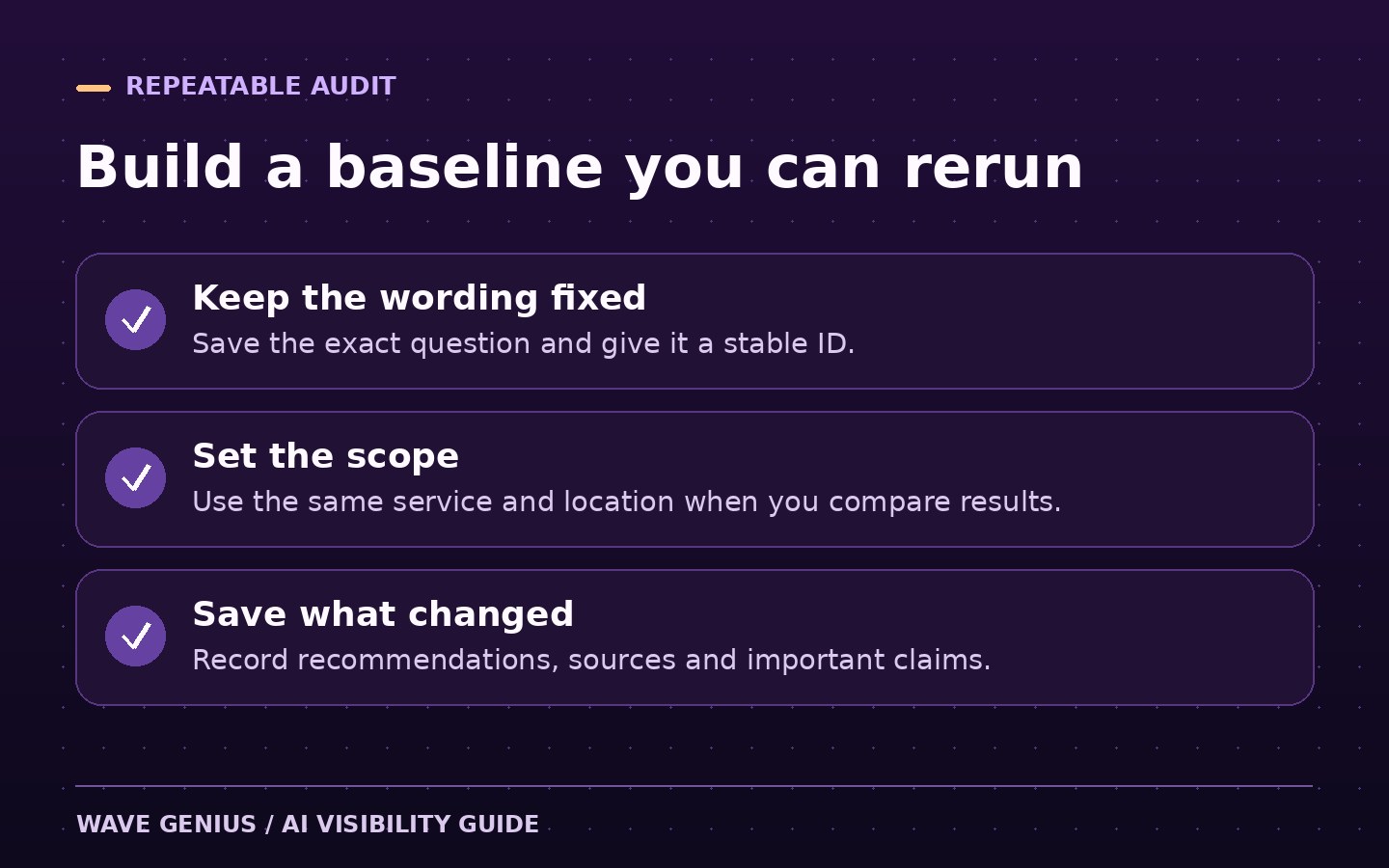
Try to keep as many conditions stable as you can when comparing results. Use the same prompt wording, location, platform, and search mode. Start a fresh session for each question when practical. Record whether you were signed in and what location the search interface showed, if visible. Those steps make a repeat possible. They still leave room for differences between search users and between runs.
BrightLocal’s local AI visibility research tested the same prompts across platforms, times, and locations and found that the businesses returned could change. Moz’s Tom Capper also highlights the limits of treating conversational questions like a short list of search keywords. Both are good reasons to build a repeatable sample around actual buying questions. For your first audit, the goal is a baseline you understand well enough to rerun. BrightLocal’s local search study · Moz Whiteboard Friday on prompt tracking
Run a 15-minute AI visibility audit
For a first pass, choose one AI search experience your customers could reasonably use and one service question that has commercial value to you. ChatGPT with web search or a Google result that includes an AI Overview can be a starting point. Record the experience you actually tested. A standard results page, a local map pack, and a generated answer can all appear during the same search. An ordinary search listing is useful to your business, and it belongs in a different field from the AI answer.
Allow about three minutes to choose and write your prompts, seven minutes to run and save the first few responses, and five minutes to fact-check one meaningful statement. That timing is a starting point. If the answer contains several conflicting claims, highlight the one with the highest customer impact and save the others for a fuller check. If the interface is slow or never produces a generated answer, write down what happened. The audit is still valid as a record of that attempt.
Set up your worksheet
Use one row per answer. Keep a short, stable ID for each question so you can rerun it without trying to reconstruct the wording later. You can save the full response in a note or private screenshot and use the sheet to record the parts you’ll compare. A long paragraph in every cell makes it harder to spot patterns. A short excerpt with a pointer to the original gives you context and still lets you filter the rows.
Prompt ID and exact wording — A stable label such as D1, D2, or B1, plus the complete question as entered.
Date and platform — The day of the check and the specific surface, such as ChatGPT web search or Google AI Overview. Include search location if shown.
Intent — Discovery, a service-specific decision, or a branded accuracy check.
Result — Recommended, mentioned, absent, or no AI answer. Save the answer excerpt that supports your classification.
Own site cited? — Yes, no, or source unavailable. Keep the actual source URL when you can open it.
Fact to verify — The exact service claim, location, policy, or detail that matters to the customer.
Verification status — Confirmed, contradicted, or unverified, plus the evidence you used.
Follow-up — The question to rerun, a source to inspect, or a specific fact to correct.
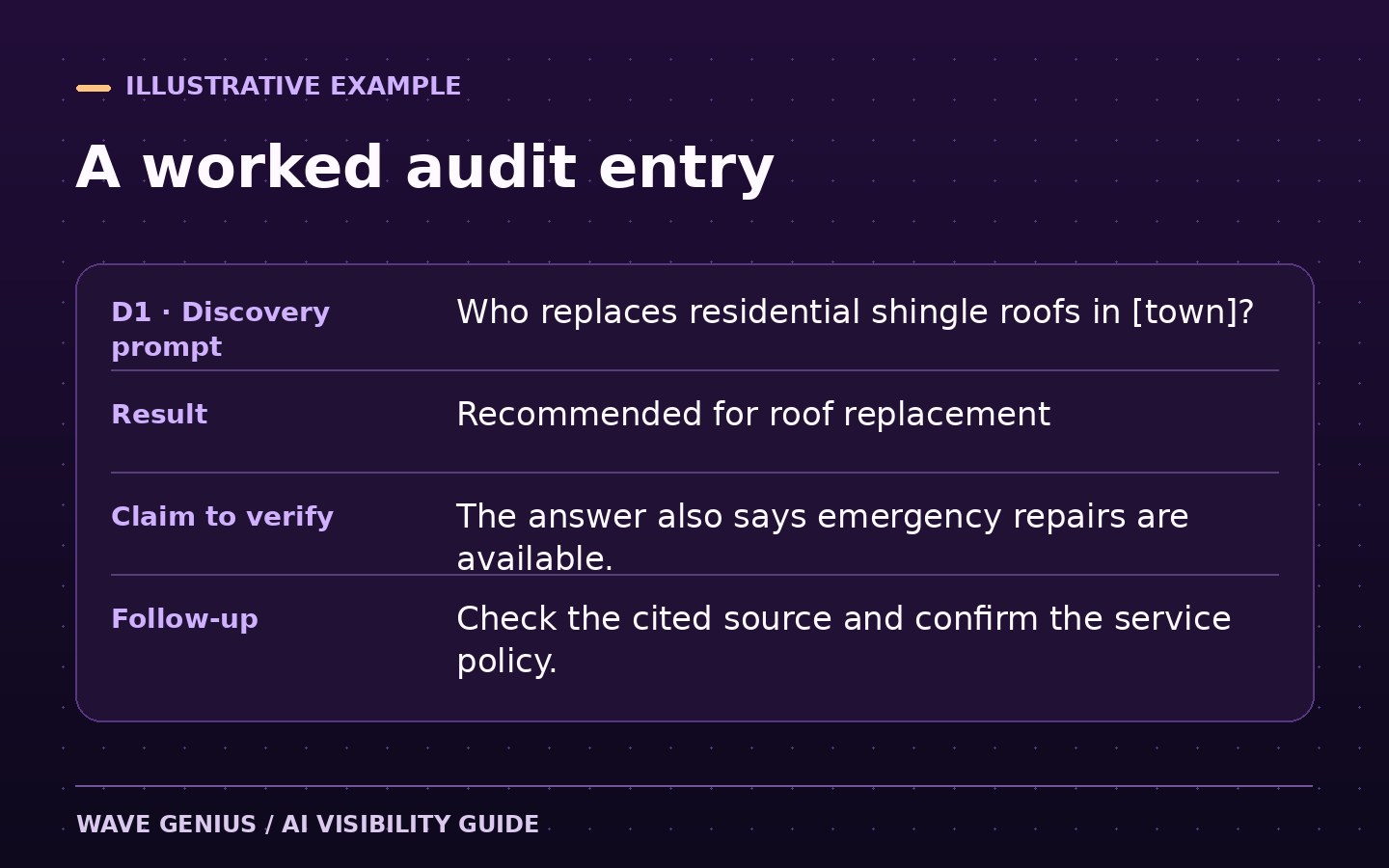
Here is what a useful entry could look like. This row is illustrative, with a fictional roofer and a simulated answer used to explain the process.
D1 · “Who replaces residential shingle roofs in [town]?”
Result — Recommended · Answer also says the company offers emergency repairs.
Source and accuracy — The service page supports roof replacement. The emergency claim still needs verification.
Follow-up — Check the cited directory and confirm the current service policy with the owner.
Notice that the row can show a genuine recommendation even while part of the answer is unresolved. If you reduce it to one good or bad score, it’s hard to tell whether your immediate task is to improve discoverability or correct a piece of information that customers could rely on.
Run discovery before the branded check
Enter your first discovery prompt in a fresh session. Give the answer time to finish and read it as a customer would. Note which businesses are offered as options, how the answer describes their suitability, and whether each name actually matches a business in the target area. Record your own result even if it is absent. Save the prompt and response on the same day so the evidence stays together.
For the next discovery question, add the customer requirement you picked earlier. You might specify a particular neighbourhood, ask about a service for commercial premises, or include a deadline if timing is typically important. Avoid continually adjusting the question until it mentions your business. A change in the question can be informative, but it should have its own row and a clear reason for being there.
Then run the branded question. If the business name is common, include the correct city or domain to help identify the entity you’re asking about. The answer may give a different description from the discovery result. Record its claims independently. A branded answer can correctly identify who you are while a different question still produces an outdated claim about one of your services.
If a platform gives you an answer with no sources, save it and mark the source as unavailable. Asking for sources can be useful in an additional test, but treat that as a follow-up prompt. It may produce a different answer. Keep the first observation intact so you can see what a customer would have received on the original search.
Rerun a small set before drawing a conclusion
Repeat the original prompts on another day using the same settings where possible. If you have time for one expansion, either add a second platform or a second location. Changing both at once makes it harder to tell what contributed to the difference. A manageable cadence for a small business is to keep a few original questions and add a fresh one when a service, location, or customer need changes.
Consider a company that appeared on a broad search once and missed it on the repeat. Record one appearance from two observations and look at what changed. Did the second answer name different providers or just fewer providers? Did it interpret the area differently? Did it cite a different type of source? The small sample can suggest a follow-up question. It cannot tell you how often the general public saw either answer.
A field for no AI answer protects the record. Some searches may produce maps and regular results while the version of the interface you’re using returns no generated answer. If you count those runs as missed recommendations, you’ll treat the presence of an AI answer and the business’s appearance within one as the same event. Report both the total number of runs and the number that actually produced an answer when you summarise the test.
Check whether the answer is accurate
Think about the practical stakes of each claim. A customer might drive to the wrong address, ask for a service you stopped providing, or assume a particular policy applies. Start with information that affects a real decision. Minor differences in tone or wording can wait while you check whether people can find the business and understand what it offers.
The NP Digital guide to AI sentiment and accuracy is a useful reference for this distinction. An answer can describe a business positively and still present incorrect facts. When you review one, write down what the customer would reasonably conclude. Then check whether the cited source supports that conclusion in context.
Open the source and check the specific claim
Open the link that appears next to the statement, if the platform shows one. Read the relevant part of the page. A page can discuss a topic without saying the business offers that service. It can list a seasonal opening time, show an old team member in an archived blog post, or describe a project in a city the company no longer serves. Read the sentence around the claim and look for a date, qualification, or scope that changes its meaning.
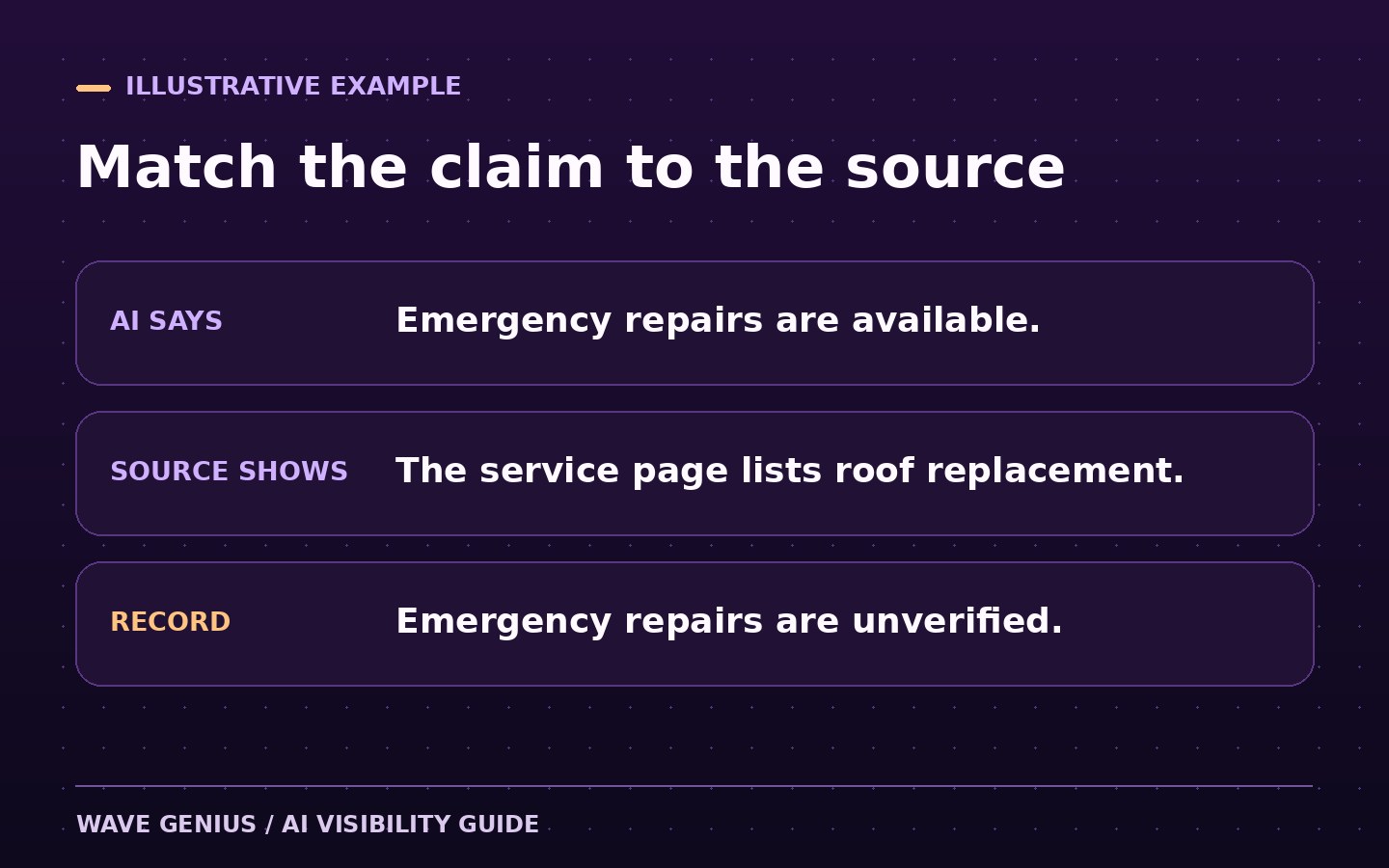
In the simulated roofing example, suppose the company’s own service page confirms shingle replacement and an old directory entry states that the company offers emergency repairs. The owner says emergency call-outs ended last year. You can now log that the old directory contains an outdated claim. If the directory was shown as a citation beside the statement, log that association as evidence. If the tool gave no source, call the directory a possible contributor and keep looking. You can correct a source you found without proving exactly how an AI system used it.
Some answers combine facts from several businesses that have similar names. Check the address, domain, and service area before assuming the answer describes your company. The combination may look plausible even when the sources point to distinct entities. Write down which detail belongs to which source, and include the correct identifiers in your branded repeat test. Keep the original result in the sheet to preserve the record of the mix-up.
Give every important claim a status
Use confirmed when your business can substantiate the detail and the wording matches the current offer. Use contradicted when you have clear current evidence that says otherwise. Use unverified when the evidence doesn’t settle the matter. That last category is useful for prices, recent changes, and broad claims about availability. A lack of evidence can tell you the business should make an important fact clearer, even when you have no reason to allege that the AI was wrong.
For a simple test, choose one claim you can confirm with a current page or an owner-approved source. If your official site and Business Profile disagree, note both dates or versions if available. A disagreement is itself a finding. Decide what the business’s current position is before updating any source or asking customers to rely on one version.
You may also find a correct claim that’s easy to miss because it appears in a PDF, a dated announcement, or a paragraph far down a page. Write down where a customer could verify it quickly. This gives the business a practical improvement independent of whether the next AI answer changes. Accurate published details help people who reach you directly, too.
To see how this works, look at the Scuba Holidays example. We checked Google’s description of the agency against the services it lists on its website.
What we found across three businesses
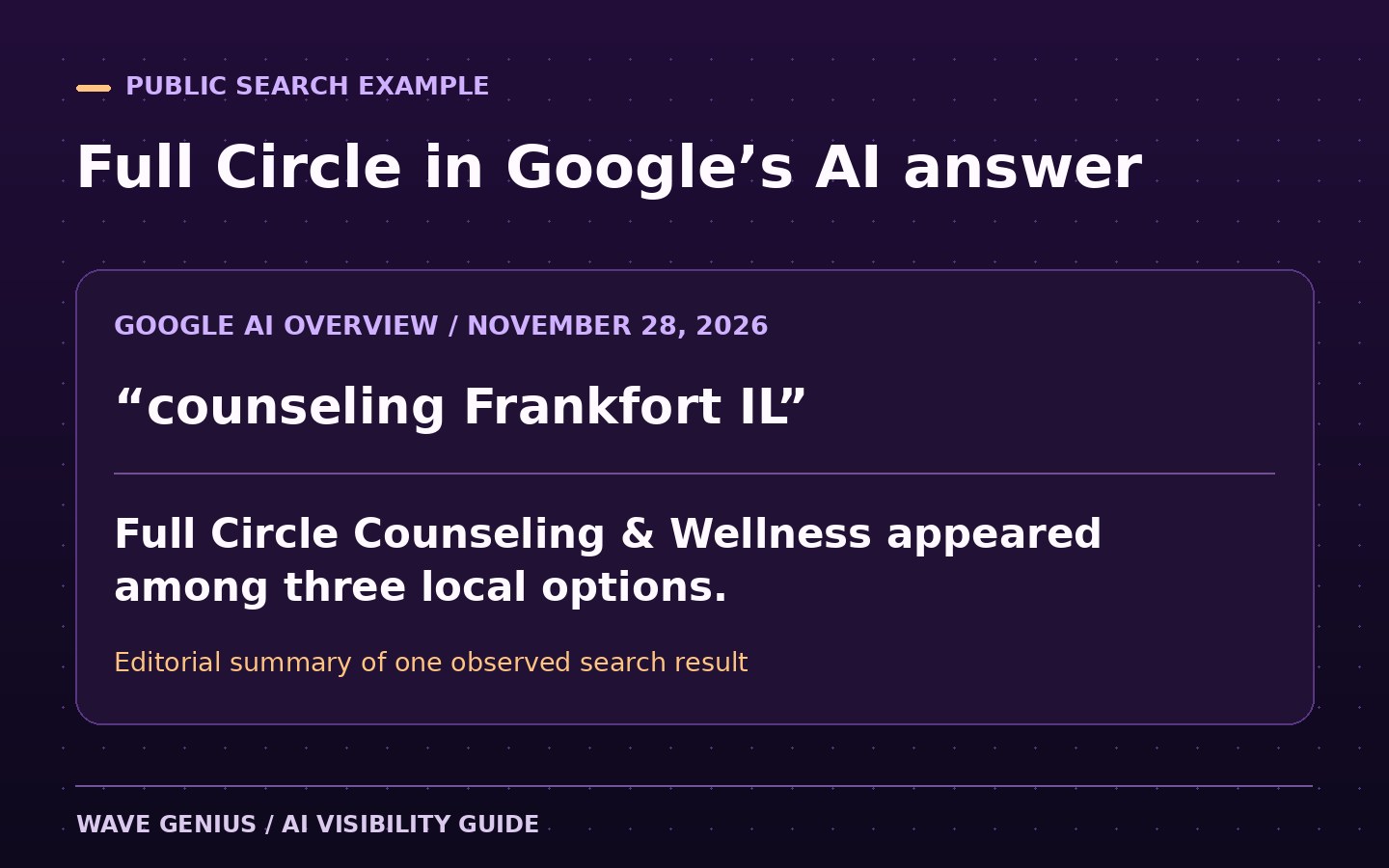
On November 28, 2026, we searched Google for “counseling Frankfort IL.” Full Circle Counseling & Wellness appeared in the AI Overview alongside two other practices. It also appeared in the local map results, which we recorded as a distinct observation. The Google query contained the service and city, without the name of a provider. That made this an example of unbranded discovery in one live check. The search we tested
The AI Overview associated Full Circle with trauma and EMDR, subjects the practice’s public homepage covers. The answer also made other statements about the practice. Checking one supported claim makes the comparison useful without asking readers to treat the entire generated description as verified. A prospective client should confirm current services and availability with the practice. Full Circle’s website
Build a baseline from the live result
The broad query gives us one dated discovery example. A business owner can build on it by testing more specific service questions in fresh sessions and logging each answer. The same practice might appear in a broad list and be absent when a question adds a particular service, location, or other requirement. Write down the exact wording so you know which customer question the answer addressed.
Nearly 200 AI bot requests in a single day
Wix recorded 196 hits on May 31, 2026, and 177 the day before. Those were the two busiest days in Full Circle’s 365-day AI Bot Traffic over Time report. With the report filtered to OpenAI and Perplexity user bots, Wix counted 10,582 hits from November 29, 2025, through November 28, 2026. The full chart shows how much quieter things got after mid-July.
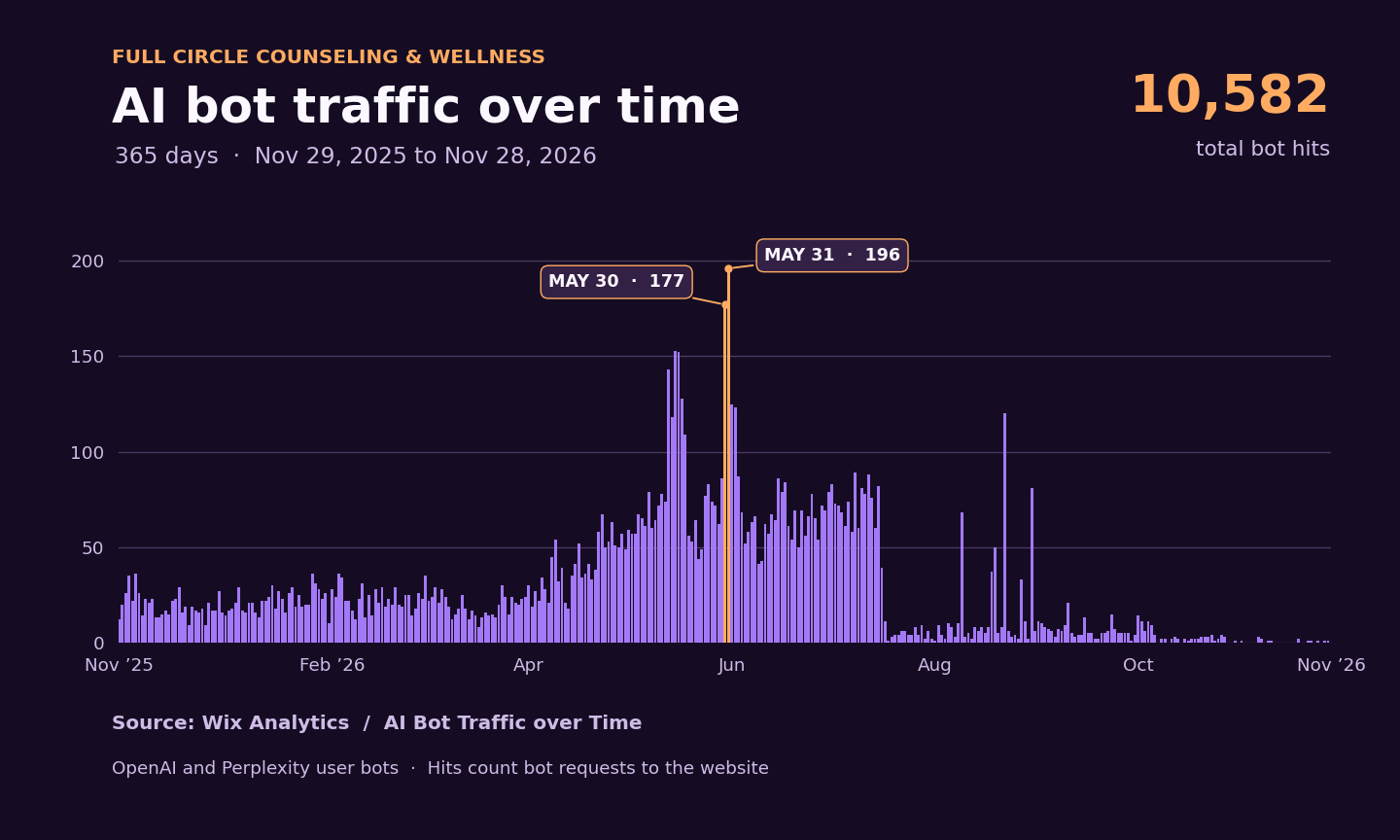
Each hit is a request a bot made to the website. To find out whether AI recommended Full Circle, we had to read the actual answer, as we did in the Google check above. To see whether someone clicked through to the site, we’d look at referral traffic.
Track what each number can tell you
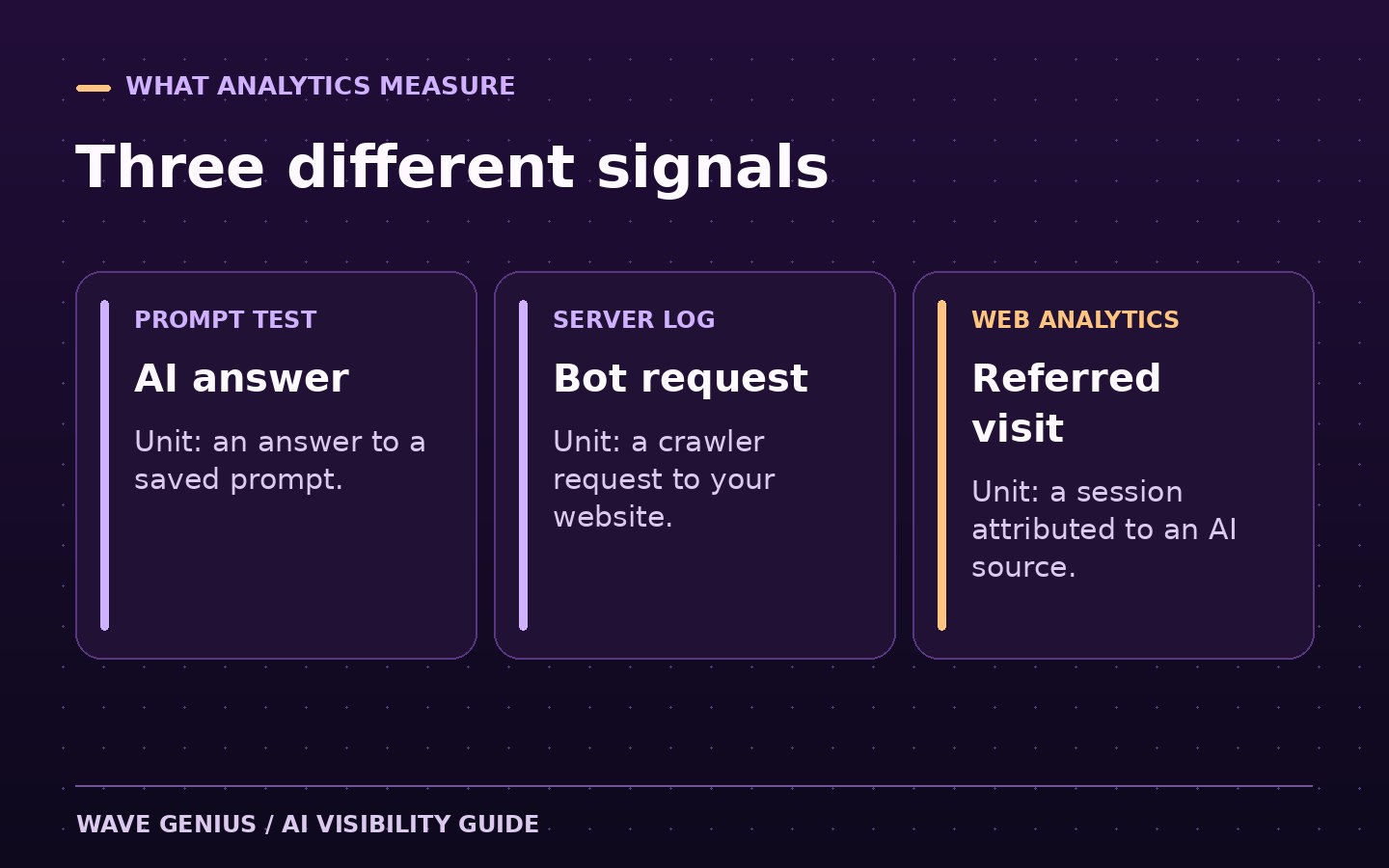
A crawler request records a request to your site. A referred session records an arrival your analytics could attribute. The answer you watched tells you whether a business appeared in a particular response. An AI answer can name you without anyone opening your website. A referral can arrive without revealing the full question that led to the visit. Record the date, source, and unit next to any number you use so someone else can understand what you measured.
A branded check can validate a different part of the answer
In a separate Google check on November 28, we searched for Scuba Holidays by name, including London, Ontario and the business's domain. Google's AI Overview identified it as a dive travel agency and linked to its website. Its description of the business as a specialist in dive-resort and liveaboard trips matched the services published on the site. Scuba Holidays' public website
That check gives us an example of identity and service accuracy. The business name was already in the search, and the question here was whether Google connected it to the right company and described its core offer correctly. If you run a similar check, save the source that supports each claim you verify. A customer asking about a particular trip date, price, or current availability would need more current evidence than a general description of what the agency does.
Scuba Holidays recorded 14,093 AI bot hits
We ran the same Wix report for Scuba Holidays from November 29, 2025, through November 28, 2026. Requests from OpenAI and Perplexity user bots totalled 14,093. The busiest days were August 22 with 160 hits and August 9 with 134. The chart shows that activity was already higher through much of the winter, and the August spikes stood out in a quieter stretch.
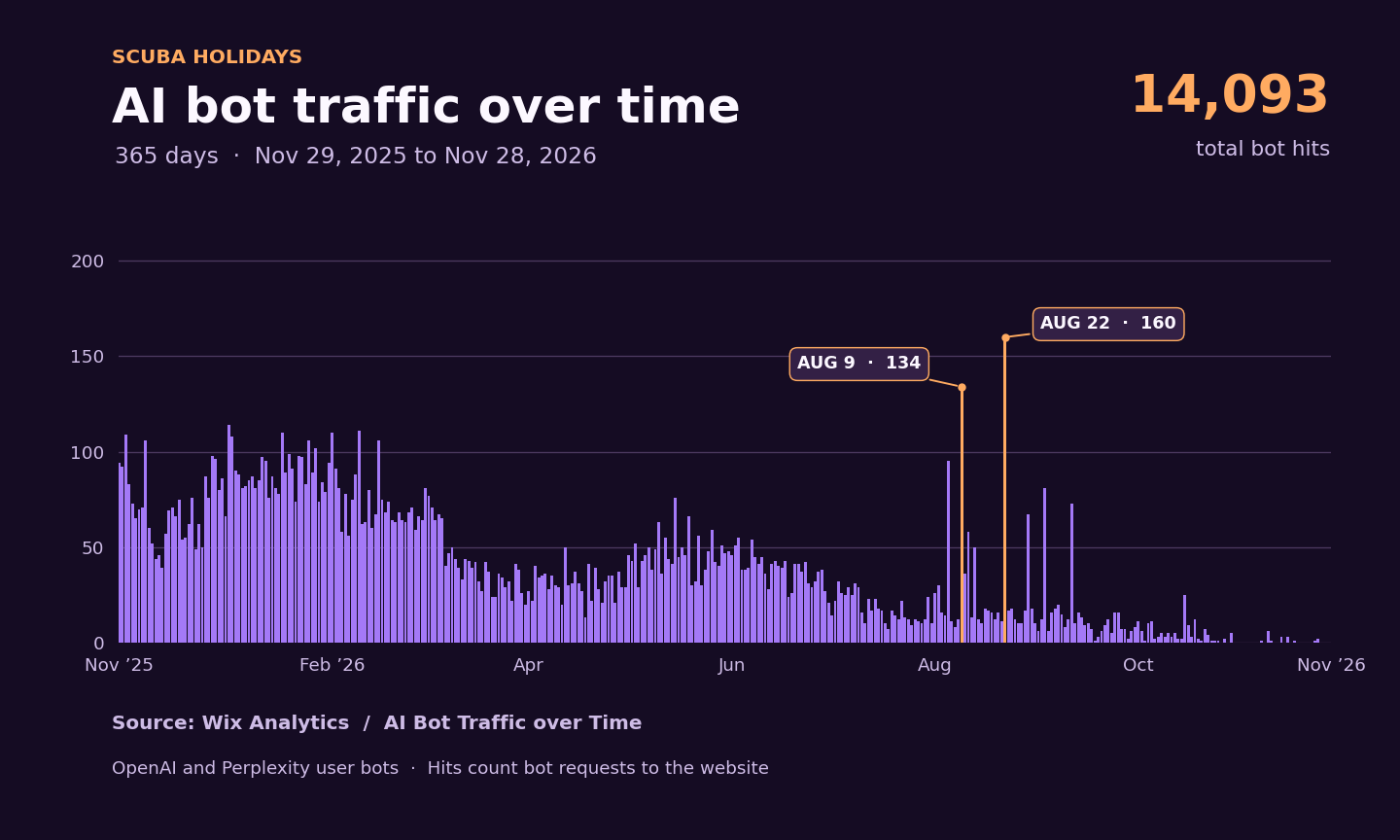
The chart counts requests to the website. If you want to know whether Scuba Holidays comes up for people who have never heard of it, ask AI a question a diver might ask, such as “Which Canadian travel agencies can help me book a liveaboard dive trip?” Save the answer and see which companies it suggests.
TNL TransNetwork Logistics saw 323 AI bot hits in one day
TNL TransNetwork Logistics, a former Wave Genius client, had the biggest single-day spike of the three examples. Wix recorded 323 bot hits on August 12, 2026, and 171 on August 19. Across the same 365 days, with the same OpenAI and Perplexity user-bot filters, Wix recorded 3,372 hits in total.
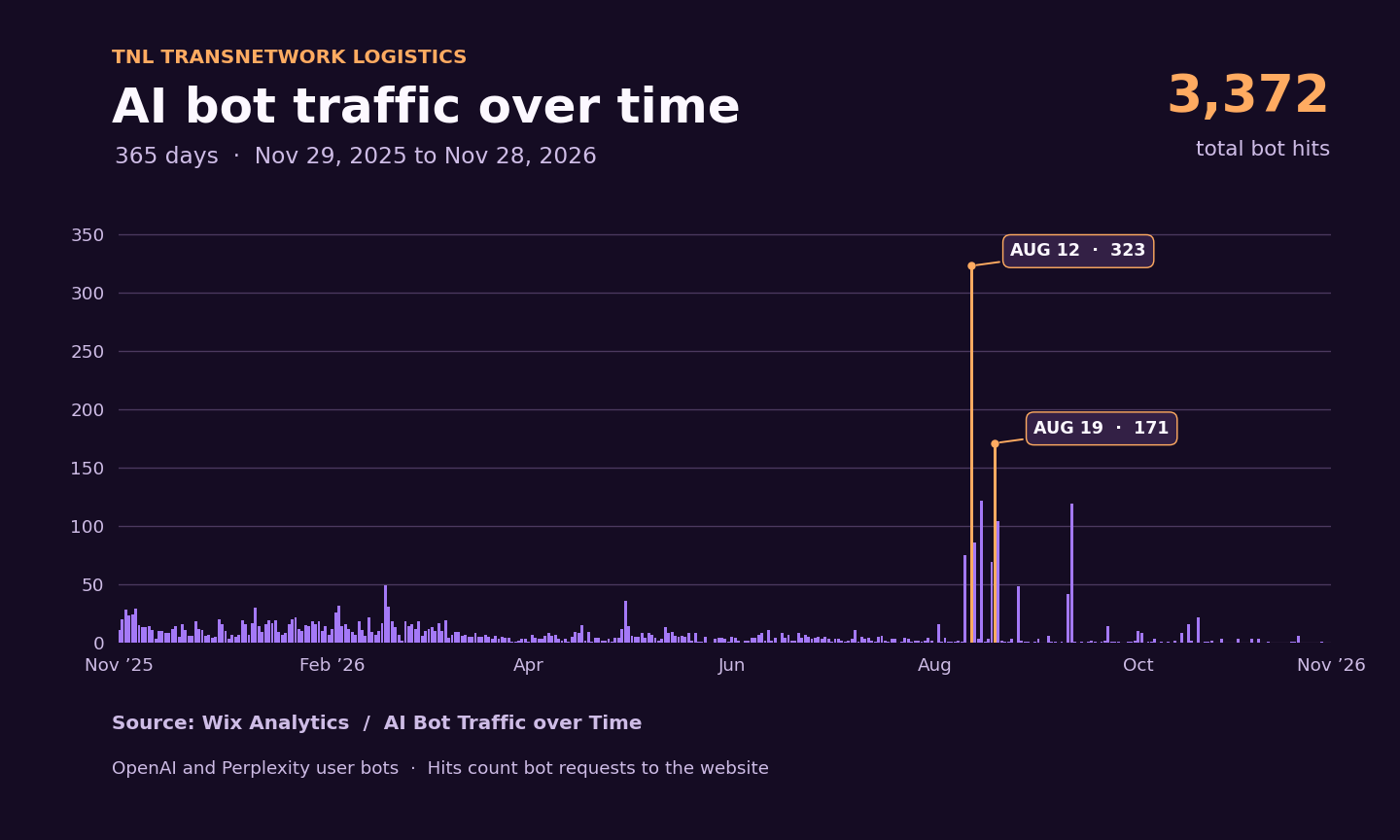
If you spot a spike like this on your own site, check which pages the bots requested. Then ask AI a question a customer might use to find your service. For TNL, that could be “Which freight brokers can help me ship a partial truckload from Ontario to the U.S.?” The bot report shows the requests Wix recorded. The prompt test lets you see who the answer recommends.
Find reports that work with your website
Once you have a set of questions worth repeating, a dashboard can save time. Before you rely on one, check what the numbers describe. A site builder may run its own prompts and tell you how often your name appears in the answers it sampled. An AI provider may report aggregate activity from its own service. A website analytics tool will generally focus on visits that reach your site. Each can answer a useful question. The label and the coverage matter more than whether the interface calls the number a visibility score.
If you're comparing two dashboards, start by asking three practical questions. Which AI experiences does each report cover? Does the tool show you the actual prompt and answer? Can you tell whether a number represents a business mention, a link citation, or a recorded visit? If the tool gives you a single score, look for the sample size and rules for counting appearances before comparing it with another tool's score.
Take TNL’s Wix chart. When you see a spike, check what the report counted before deciding what that spike means for your business.
What the site builders can show
Wix
What you can use — Its AI Visibility Overview can surface mentions, citations, sources, and brand perception from its question set.
What to check when you open it — Open individual prompts and check whether the business name was included in the question. Check which platforms are available in your dashboard and whether testing uses AI credits. Wix AI Visibility documentation
Squarespace
What you can use — Its AI Visibility tool evaluates questions in ChatGPT and Gemini.
What to check when you open it — Look for the answers to service-and-location questions. Check your available credits if you plan to expand the prompt set or repeat tests. Squarespace AI Visibility
Webflow
What you can use — AEO analytics provides prompt-based visibility and citation data and can show AI bot and referral activity.
What to check when you open it — Check whether your plan and Analyze add-on give you access, and see if the tracked questions reflect your market. Webflow AEO analytics
Shopify
What you can use — Agentic Storefronts reporting can help eligible merchants see commerce activity, such as sessions and orders from supported channels.
What to check when you open it — Use it for the shopping activity it measures. For a question about who an assistant recommends in a particular market, run that question or use a mention tracker with appropriate coverage. Shopify Agentic Storefronts reporting
WordPress or a custom site
What you can use — Manual checks and independent trackers work with a public site. Google Site Kit can bring Analytics and Search Console into WordPress.
What to check when you open it — Check the feature list of any plugin you already use. A report that shows Google traffic or crawler visits serves a different purpose from one that saves and tests AI answers. Google Site Kit connected services
You can usually learn more by opening one prompt than by staring at a summary chart. Read the question. Check which service the answer thought it was discussing. Open the cited page. If the dashboard doesn't let you see that underlying material, keep your own manual samples alongside it. Those saved responses give you something concrete to discuss with a colleague or compare with a later check.
If your website was built years ago and has limited reporting, write down the domain and the market before you worry about integrations. You can do the manual audit first. If you later decide to spend money on monitoring, you'll already know which questions were useful. That puts you in a better position to ask whether a tracker can handle your language, market, and preferred AI experiences.
Look at reports from the AI or search provider
Depending on access and eligibility, there are several ways to see what is happening outside the website builder.
ChatGPT Business Hub offers eligible businesses aggregate metrics such as mentions and website clicks, and can show themes from conversations where the business's site was cited. Check whether your business can claim a profile. Use those aggregate numbers alongside your manual tests when you want to examine wording or accuracy. OpenAI's Business Hub announcement
Google Search Console offers a generative AI performance report where available. Google describes impressions as how often URLs from your site appeared in its generative AI search features. That helps you see which URLs were shown within the scope of the report. You can still open an example result to check what it actually said about the business. Google's guide to Search Generative AI performance reports
Bing Webmaster Tools offers an AI Performance report with citation information for supported Microsoft AI experiences. It can show which pages were referenced and provide information about queries used to find sources. A cited URL is evidence that content was used as a source within the report's scope. It leaves the question of how prominently the business was presented to the customer open. Bing's AI Performance documentation
Independent tools can help if you want to rerun the same set of questions at scale. Ahrefs Brand Radar is one example that offers AI visibility research and tracked prompts. Check coverage for your location and language before choosing a product. Ask if you can export the actual prompt and response or see only the aggregate score. Also check whether your subscription lets you test your own prompts. A broad dataset can surface ideas, while the questions customers ask your business make the results actionable.
A practical way to choose is to start with what you can answer today. If all you need is “What does AI tell people about our ability to do this service?”, the manual audit may be enough. If you manage several markets and want to compare the same questions over time, an automated tracker can make that comparison easier to maintain. If the owner wants to know which answers led to enquiries, check the site's traffic and conversion reporting. Each of these decisions starts with a business question.
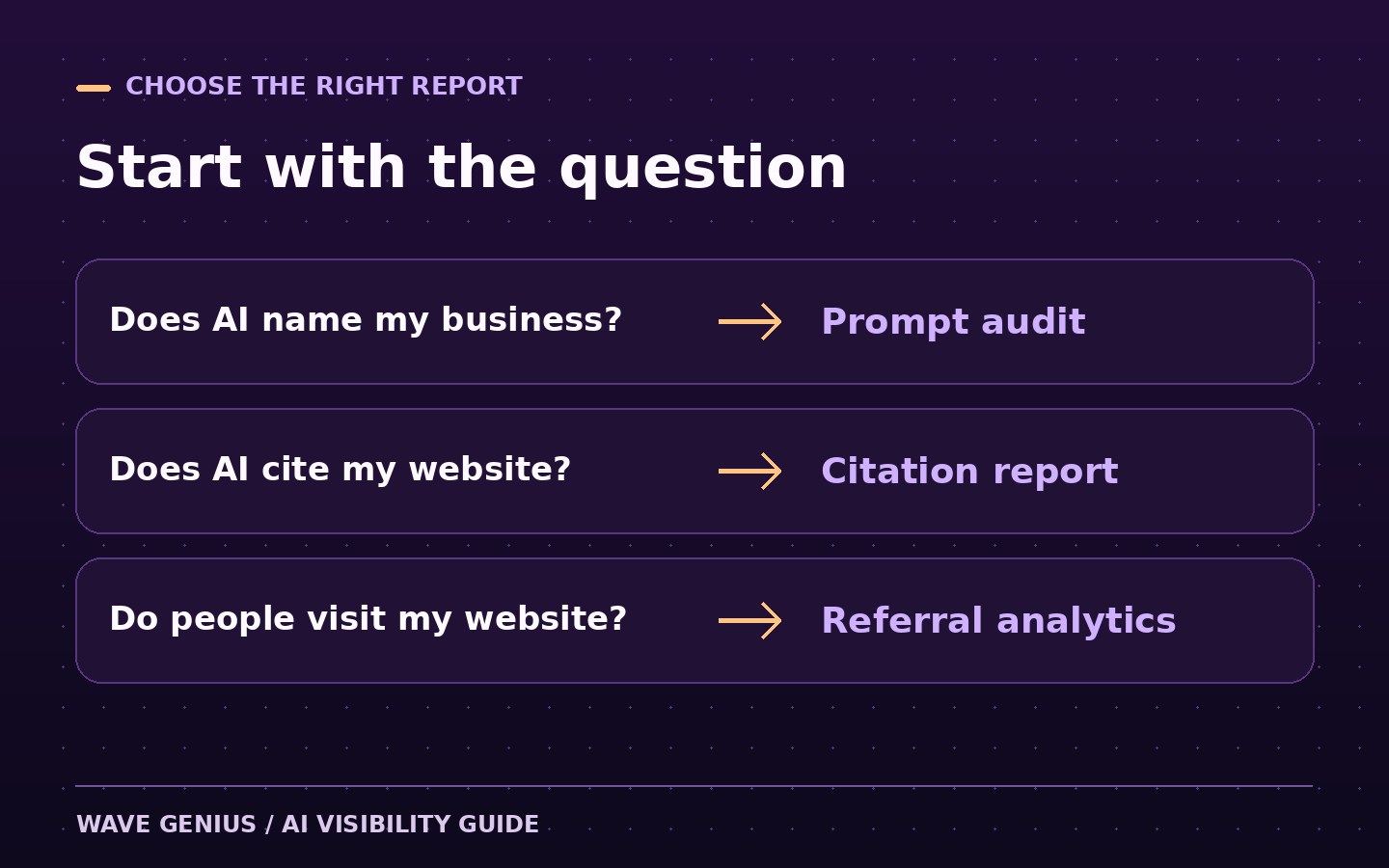
Read your results and decide what to do next
The audit gives you a dated set of observations. The next move depends on what matters most to the business and which evidence you found. Work through one issue at a time so you can tell what you changed and when. Start with a high-priority offer or a fact that a customer could rely on to make a decision. A precise action is easier to assign, verify, and retest than a broad instruction to improve AI visibility.
You appear in several discovery answers, and the details are accurate. — Keep the records as a baseline. Check that the cited pages are current and that a visitor can find the relevant next step on those pages.
You appear, and the answer gets an important detail wrong. — Verify the current fact with the business. Find the cited page or listing and record who controls it. Update the correct source if you can.
The site is cited, but the business rarely appears as a provider for the service. — Identify which page is used as a source. Check whether it clearly connects the answer to a service the business actually offers in that market.
Your name is absent in several realistic discovery checks. — Look at the businesses and sources that appear. Confirm that the question fits your offer, then check whether your official service page and listings explain that offer and location clearly.
An AI platform produced no generated answer. — Save the observation and try the exact prompt in a tool that can return an AI answer. Keep the original result in your record.
Answers differ substantially between runs. — Keep the wording fixed and repeat the strongest questions. Look for patterns that recur before investing time in a fix.
Turn a finding into a task someone can finish
“Improve AI visibility” is too broad to assign. “Update the current service page to explain whether we replace shingle roofs on duplexes in our service area, then rerun D2” gives someone a clear change to make. The owner can confirm the offer, the person responsible for the site can update the right page, and the person running the audit can check the same question again. You can also verify whether the page answers the customer's actual question immediately after it is updated.
If the details are accurate and the same few competitors keep appearing, examine what those options have in common. Are their service pages more specific to the location? Does a directory provide an easy way to confirm what they offer? Do their websites answer a question yours leaves open? Record what you can actually observe. You can choose to improve a weak page on its own merits without claiming you know exactly why another business appeared.
When the issue starts with foundational information like hours, business listings, service-area pages, or reviews, use the Complete Local SEO Guide for Small Businesses for the broader setup. For this audit, make only the change that addresses the finding you can support. A focused correction gives you a useful before-and-after example and avoids wasting effort on unrelated parts of the site.
Keep a baseline you can explain to another person
A simple recap could say, “We ran four discovery questions on one platform on two dates. Six runs produced AI answers, and the business was recommended in two of those six. We also ran one branded question and found a service-area detail that we could not confirm.” Include the actual prompts, platform, and dates underneath. The numbers in this recap are illustrative. Use your own results to write the real version.
That format shows what happened, preserves the denominator, and makes it clear which number describes recommendations and which describes accuracy. It also gives you a sensible comparison point if new team members take over the task. They can use the same prompts or document why one changed. If a new location opens, add a question for that location and keep it visible as a new entry.
A monthly review can be a starting point if the business wants to maintain a baseline. Check sooner when information changes and customers might be affected, such as a move, a change in business hours, or a key service becoming unavailable. Keep the old record, log the update date, and rerun the original wording. If the result stays the same, preserve that observation too. The record is more useful when it shows the quiet periods as well as the wins.
Common questions about AI visibility
Can I check AI mentions if my website doesn't have analytics?
Yes. Open the AI search tool, run a question someone might ask about your service, and record whether the answer includes you. Then run a branded check and confirm the details against your published information. You need access to the AI search tool and a place to save the result. That provides a basic visibility and accuracy check even before a website records its first attributed visit.
Can I see every time AI mentions my business?
The reports available to you have a defined scope. A tool that runs prompts can show what it observed on those runs. A provider report covers the activity that provider makes available for your business or domain. Use the source and date to describe what each result represents. This is especially important if you're asked to explain a percentage to someone who hasn't seen the underlying sample.
Why do I see my company when I ask by name but miss it when I ask for a service?
Those questions give the assistant different information. A customer who names the business has already supplied the entity to look up. A discovery question asks the tool to find and select among options. Try a few discovery questions for the main services you want to be found for. If the branded answer is accurate and the discovery results vary, see whether the variation follows a particular service, location, or requirement.
What if AI names my business but doesn't link to its website?
Record the mention and check how the business is described. Then look for any source linked elsewhere in the answer. Someone could use the name to look the business up later, so an unlinked mention can still be relevant to a discovery audit. If readers need a reliable way to verify an important claim, make that information easy to find on a current public page.
How many prompts should I track?
Start with three discovery questions and one branded question for a single market. Add prompts when they answer something new and useful. A business with one main service may want to cover a few customer requirements. A company with several offices might need a repeatable set for each market. Give yourself a small set you can review carefully before you add more.
Do visits from ChatGPT tell me which questions mentioned me?
Website analytics can record visits attributed to ChatGPT when it can identify the source, along with the pages people landed on. The referring session count does not give you the complete wording of the answers people saw. If you want to see what an answer says, save examples from a manual test or use a tool that reports the underlying responses. Read the two records together when you have both.
Start with one service and one location. Run one question that leaves your name out and one that includes it. Save both answers, then verify the most important fact a customer would rely on. Those two entries give you a baseline you can build on the next time someone asks, “Can AI find us?”
Next in the series, we’ll show you how to check which AI platforms sent visitors to your website and which pages those visitors landed on.